How to Make a Meme Video
No editor needed.
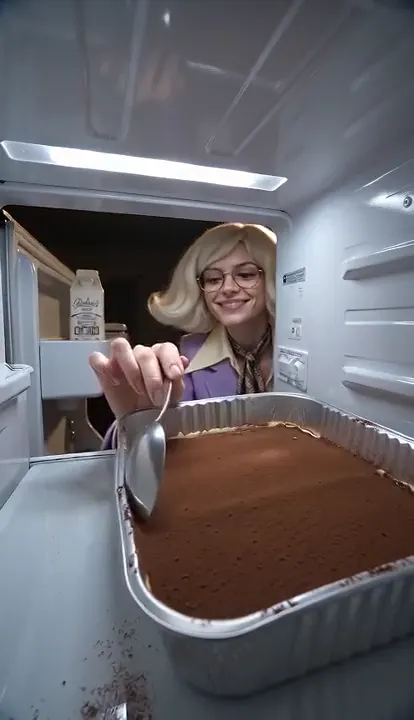
- 10 seconds
- 9:16
- Sound included
Fridge POV
Filmed from inside the fridge: midnight snacking, then caught.
Filmed from inside the fridge: one snacker eats half the tiramisu, the second finishes it and gets caught.
Updated 2026-11
To make a meme video, pick a template or describe a joke, add a clear photo, make the clip and post the vertical MP4, adding one short caption in the app you post from. This guide is for beginners on a phone or laptop. Clips have no watermark, cost from $0.23, run 5 to 15 seconds and reach 1080p.
The steps
- 1Pick your starting pointUse a meme template with a photo, or describe a new joke. A template is the quickest route to a known format.
- 2Add a clear photoChoose a sharp, front-facing photo of yourself, your pet or an adult who agreed. Skip sunglasses, filters and group shots.
- 3Make the clipCheck the price on the button and press Make my meme. Most clips take 1 to 3 minutes. A failed clip returns its credits.
- 4Download the MP4Press Download MP4. The clip is vertical 9:16 with its sound, ready for TikTok, Reels and Shorts, and saves straight to your device.
- 5Add one short captionIf the joke needs words, add them with the text tool in the app you post from. Keep each line under about eight words and out of the bottom fifth of the frame.
- 6Time the words to the actionMake the punchline appear just before the moment it refers to, then post.
Example clips
I want to combine three clips into one 15-second vertical meme with timed captions and reaction sounds. How should I arrange the clips so the joke lands properly?
Think of it as setup, turn and payoff. Give the setup about 5 seconds so people understand the situation, the turn 3 to 4 seconds where something goes wrong, and the payoff the rest, ending right after the laugh instead of lingering. Put the funniest moment last and cut anything that repeats it. Memevy makes single clips and does not join them, so stitch the clips in your phone’s photo editor or in CapCut. Use one caption line per clip and time each to its moment. Reaction sounds go on last, in the app you post from.
What’s the best length and aspect ratio for a video meme if I want to post the same clip to TikTok, Instagram Reels, YouTube Shorts, and X without awkward cropping?
Make it vertical 9:16 at 5 to 15 seconds. All four platforms accept that shape, and it fills a phone screen. Keep the important action and all text inside the middle of the frame, because TikTok, Reels and Shorts place buttons and captions along the right edge and the bottom fifth. X shows vertical clips with bars on a desktop screen, which is fine. Memevy clips come out 9:16 already. If you need a feed post, crop a second copy to 1:1 in your editor, though keeping the original framing with bars is often better than cropping a joke out of frame.
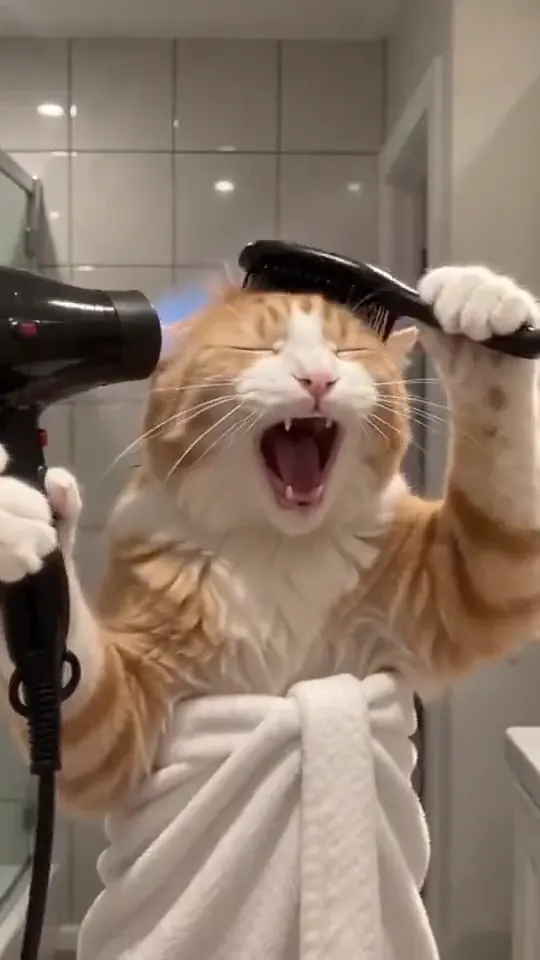
Photo in. Meme out.
Should I export gameplay fails and short reactions as GIFs or MP4s, and how do I keep the file small enough to share?
Use MP4 unless the place you are posting needs a GIF. A 10-second MP4 is usually a few megabytes and keeps its sound, while the same clip as a GIF can be several times larger and silent. For Discord, an MP4 plays inline and stays small. A GIF makes sense for a short loop under about 5 seconds, or for places that only animate GIFs. Keep it small by trimming to the moment and picking a square shape. Memevy saves MP4 only, so make a GIF in the converter or app you already use.
What can’t this workflow do?
This is a quick way to make one clip. If you need several clips on a timeline, stock music or a team workspace, use a full editor for that step.
- AI clips are short: 5 to 15 seconds, depending on the template or prompt (with Seedance 2.5 only: 16 on the Tecktonik dance AI template, 25 on Lonyo dance AI).
- It makes the clip, not the edit: there is no timeline, text overlay, joining or sound-effect library.
- Faces, hands and fast motion can warp, and small or group photos do worst.
- There is no before-and-after template yet. Use the Describe tab with two photos.
- Photos of children, well-known people or anyone who has not agreed are not allowed.
- Clips download as MP4 only, with no GIF export.
FAQ
How do you turn a video into a meme?
Trim the clip to the moment that matters, add one short caption at the top or bottom and export. Your phone’s editor or the app you post from can do all three.
How to make a video meme online?
Everything here runs in the browser, so you can make a meme online with nothing to install: open the tool, add a photo, make the clip and save the MP4.
How long does it take to make a meme video?
An AI clip takes 1 to 3 minutes to generate. Adding a caption in the app you post from takes about another minute.
Do I need an app to make meme videos?
No. Everything runs in a phone or desktop browser. Download the finished file and post it from the app you normally use.
How do you turn a photo into a moving meme?
Pick a template, add the photo and press Make my meme. The AI animates the subject of the photo to follow the template.
Got a joke? Make it move.
Open the generator