End of Watch AI — Cast the Locker-Room Scene
End of Watch AI on Memevy uses your portrait and a motion template to request the locker-room performance, with an optional partner and the clip’s sound.
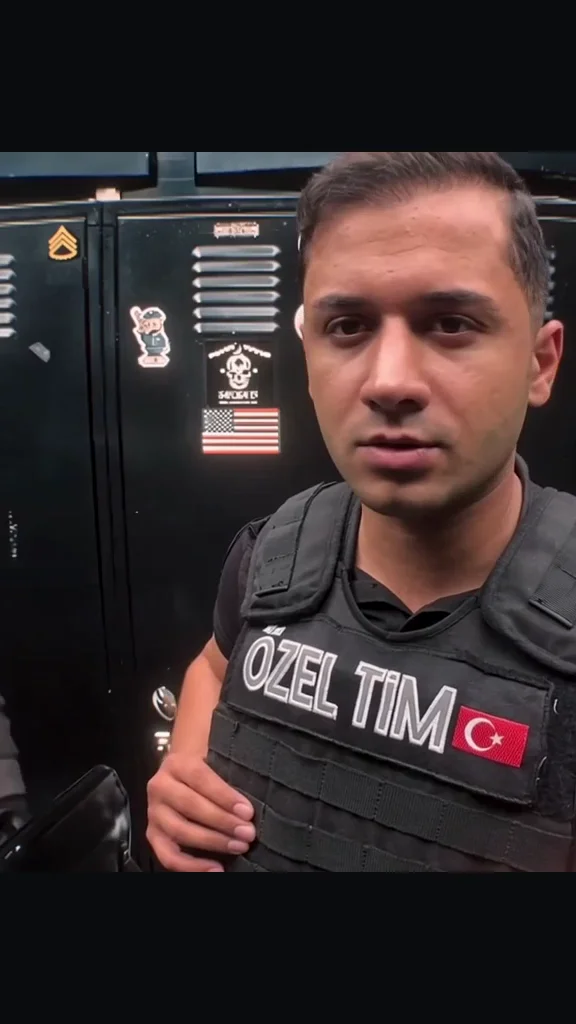
- 11 seconds
- 9:16
- Clip’s own sound
Preview the original locker-room motion
One complete 11-second take: the sideways glance, flashlight, cuffs and final gear close-ups. Play to hear the clip’s sound.
Original motion · full take
A performer in a black vest glances toward the masked partner, brings a flashlight and other props to the lens, then ends with a hand gesture. Full 11-second vertical take with sound.
Updated
End of Watch AI on Memevy is a photo-to-video tool for the locker-room meme: one portrait selects the lead and a second, optional portrait selects the partner. The template requests an 11-second vertical MP4 at 480p–1080p with the clip’s sound and no watermark; likeness and motion depend on the model. Generation starts at 61 credits ($0.61 at Pro pack rates); no sign-up credits are currently offered.
How the End of Watch AI video maker works
The End of Watch AI video maker uses four steps: choose the lead, optionally choose the partner, check the quality and credits, then generate. You do not need to find a reference clip or write a prompt. The built-in instructions ask the model for the locker-room performance, and the clip’s sound is attached to the finished video. The result depends on the photos and the model you choose.
- Choose a clear portrait for Lead. This person faces the camera, turns toward the partner and presents the props.
- Optionally add a different portrait for Partner, the person behind the lead on camera left. With no second photo, the prompt requests a fictional adult.
- Choose a model and resolution. Every option makes the full 11-second, 9:16 clip; the default Mini 480p costs 61 credits. Confirm permission and generate.
- Watch the finished MP4 through to the last hand gesture. Check both faces, the props and the sound before downloading; your video is also in My generations.
Swipe the table for more
| When | Shot | Who |
|---|---|---|
| Opening and 1–4 s | Lead addresses the camera, then glances back toward the partner | Lead in front; optional Partner behind on camera left |
| 4–7.5 s | Flashlight flare, a long black prop and raised cuffs | Lead presents the props close to the lens |
| 7.5–11 s | Small dark wallet, radio and final hand gesture | Lead completes the sequence; Partner stays behind |
Original locker-room motion preview
The original motion preview is a complete eleven-second take with the foreground performer in a black vest and a masked partner behind. The turn, flashlight flare, raised cuffs and final gesture identify this version of the End of Watch videos. Play the clip with sound before choosing your photos; the generator’s prompt requests this sequence, while the model determines the appearance of your result.
Which End of Watch AI template is this?
The End of Watch AI template here is the eleven-second locker-room sequence: a person speaks to a close camera, glances over one shoulder and brings several props into the foreground. Look for the dark lockers, the partner appearing on camera left, a flashlight flare and raised cuffs. The complete colour preview shows the intended sequence and its sound; the generator uses a motion guide to ask for that performance with your chosen cast.
The name refers to the locker-room meme associated with the 2012 film End of Watch. This page makes a short generated performance, not the full film, an end-credit animation or a police memorial video. The preview’s audio is the sound used in the export; it is not presented as an isolated original song recording.
How does the End of Watch locker scene AI assign the roles?
The End of Watch locker scene AI assigns Lead to the first portrait and Partner to the optional second portrait. Lead is the person nearest the lens who turns and handles the props; Partner appears behind on camera left. Upload each person separately so the two slots are unambiguous. With only Lead filled, the prompt requests a distinct fictional adult behind them. The assignment is based on the photo slot, not gender.
The prompt asks the model to retain each portrait’s face, hair, build and upper-body clothing across the cuts. That is a generation instruction, not a guarantee: play the result before sharing and inspect the turn, fingers and close-up props. The page does not offer a different room, a custom prop list or a longer cut.
End of Watch AI pricing & credits
An End of Watch AI video costs 61–1,760 credits for the complete eleven seconds, equivalent to $0.61–$17.60 at the Pro pack’s $0.01 per credit. From zero balance, the smallest pack that covers a video is Starter at $9.90 for 900 credits. The $4.99 trial has 56 credits and is too small for this template. The tables show every model and quality; there is no subscription.
Personalised End of Watch AI generation is not free: no sign-up credits are currently offered. Watching the motion preview is free, and paid output has no watermark. Higher models use purchased credits. Compare the credit packs before making a video.
Swipe the table for more
| Model | Resolution | Length | Credits | Equivalent at Pro pack rates |
|---|---|---|---|---|
| Seedance 2.0 Mini | 480p | 11 seconds | 61 | $0.61 |
| Seedance 2.0 Mini | 720p | 11 seconds | 131 | $1.31 |
| Seedance 2.0 Fast | 480p | 11 seconds | 131 | $1.31 |
| Seedance 2.0 Fast | 720p | 11 seconds | 283 | $2.83 |
| Seedance 2.0 | 480p | 11 seconds | 220 | $2.20 |
| Seedance 2.0 | 720p | 11 seconds | 473 | $4.73 |
| Seedance 2.0 | 1080p | 11 seconds | 1,187 | $11.87 |
| Seedance 2.5 | 480p | 11 seconds | 317 | $3.17 |
| Seedance 2.5 | 720p | 11 seconds | 713 | $7.13 |
| Seedance 2.5 | 1080p | 11 seconds | 1,760 | $17.60 |
| MiniMax H3 | 768P | 11 seconds | 315 | $3.15 |
Swipe the table for more
| Credit pack | Purchase | Credits | Mini 480p · full 11 s videos |
|---|---|---|---|
| Trial | $4.99 | 56 | Not enough for one |
| Starter | $9.90 | 900 | 14 videos |
| Creator | $24.90 | 2,400 | 39 videos |
| Pro | $49.90 | 4,990 | 81 videos |
Swipe the table for more
| Question | Answer |
|---|---|
| Watch the original motion preview | Free; no sign-in needed |
| Generate your own video | Paid generation, from 61 credits. No sign-up credits are currently offered. |
| Watermark | No watermark on the downloaded MP4 |
| A new attempt | Charged separately; a completed video does not automatically refund |
| Failed task | Credits return automatically, including failure to attach the required sound |
What this End of Watch AI maker cannot guarantee
The End of Watch AI maker cannot guarantee an exact likeness, perfectly shaped props or a frame-for-frame recreation. The prompt requests the same roles and timing, but the model decides the generated pictures; increasing resolution changes the requested output size, not a guarantee of better acting. The fixed template includes simulated weapon-shaped props, so a provider may refuse a request. A failed task refunds its credits; a completed result you dislike does not automatically refund.
- One fixed 11-second, 9:16 sequence; no timeline editor, alternate ending, captions or custom props.
- Use photos you have permission to animate. Inspect the complete result before sharing.
- A generation purchase does not grant rights to the underlying movie, music or another person’s likeness.
FAQ
Do I need an End of Watch app?
No dedicated End of Watch app is needed. Open Memevy in a phone or desktop browser, choose photos from your device and sign in to generate. Download the finished MP4 from the result panel or My generations.
What photo should I use for an End of Watch AI video?
Use a JPG, PNG or WebP under 10 MB. A clear portrait with one adult, an uncovered face, visible hair and shoulders is a useful starting point. For two roles, upload two different pictures. Group shots and cropped faces give the model less clear identity information.
What happens if generation stops or the sound cannot be added?
A failed End of Watch AI task returns its credits automatically, including a refused photo, a broken or incomplete video, or failure to add the required sound. You can close the page while the task runs and return to it later. Starting a new attempt after a completed result uses credits again.
More formats on the meme video templates page, and every pack on pricing.
Got a joke? Make it move.
Open the generator