AI Christmas Pet Video Maker — Your Dog or Cat in a Santa Hat
AI Christmas pet video maker by Memevy turns one photo of your dog, cat or other pet into a short Christmas clip: Santa hat, elf dance, stocking or snow globe.
- 5 seconds
- 9:16
- Sound made by the model
One photo, one Christmas clip
The example of the scene you pick plays here. Your video asks for that scene with your own pet.
Santa hat · cat
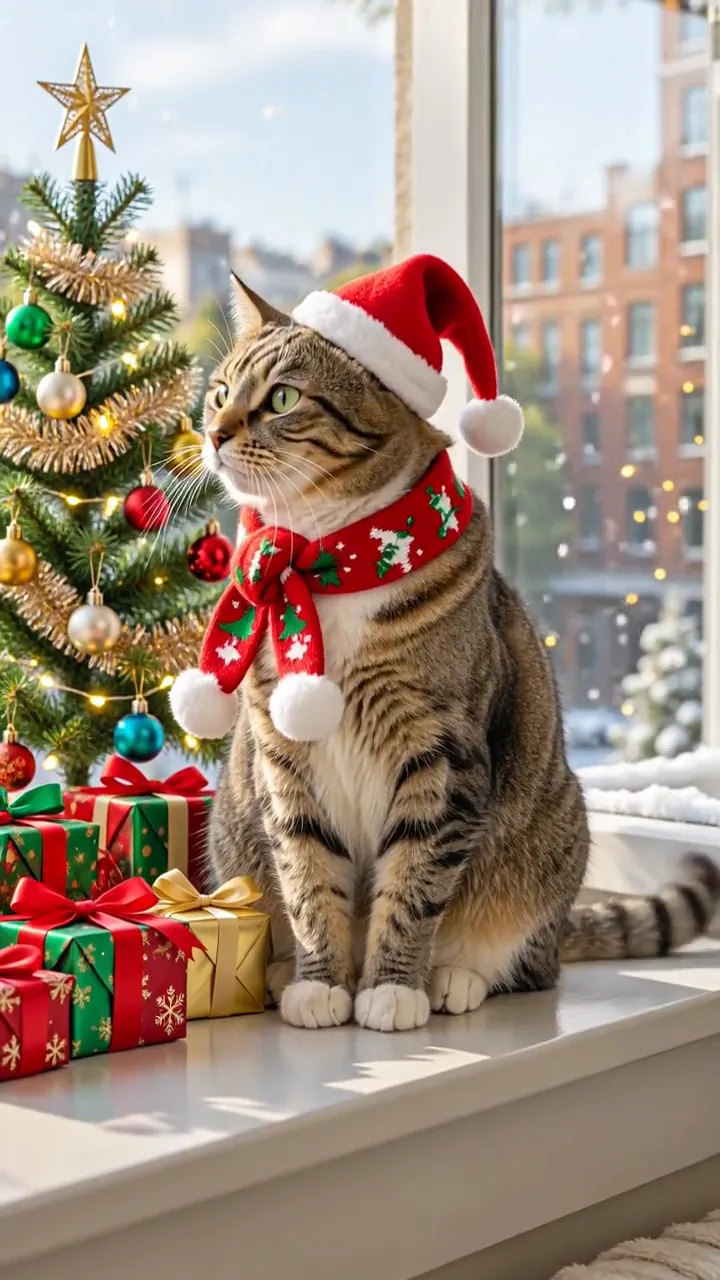
A tabby cat on a sunny windowsill: the plain photo first, then a Santa hat and a red bow scarf appear beside a lit tree and presents. 5 seconds, vertical 9:16, no sound.
Updated
The AI Christmas pet video maker on Memevy is for pet owners who want a festive clip to post or send as a Christmas card without dressing the pet up: upload one photo and get a 5- or 10-second MP4 with sound, 480p to 2K, no watermark. The default video costs 49 credits ($0.49) and any video 23 to 1,337; new accounts get no free credits right now, and the Trial pack ($4.99) covers the default video.
How the AI Christmas pet video maker works
The AI Christmas pet video maker works in four steps and needs no editing or prompt writing: you add one photo of your pet, pick a Christmas scene or describe your own, choose the model and the settings, then press one button. The photo and the scene’s prompt go to the video model; the prompt asks it for the same animal in that scene, and it makes the sound in the same pass.
- Add one clear photo of your pet: the whole animal in frame, face visible, with some space above its head for a hat.
- Pick a Christmas scene: Santa hat, Elf dance, Stocking or Snow globe, or Custom and describe your own scene, with an optional picture of the place.
- Choose the model, resolution, length (5 or 10 seconds) and shape (9:16 or 16:9). The button shows the credits before you press it: 49 for the default.
- Tick the box and press Make the pet video. It usually takes 3–8 minutes; then download the MP4 and post it or send it.
Christmas pet AI video examples
These six Christmas pet AI video examples show the scenes this maker is for: a cat and a golden retriever in Santa hats by the tree, a shiba inu doing an elf dance, a kitten in a stocking, a dog inside a snow globe, and a Santa hat dropping onto a cat by the fire as an idea for the Custom card. Three have sound and three are silent, and three are 3:4 or 4:3 rather than the 9:16 or 16:9 your video comes in, as marked. They are not made from your photo; your video uses your own pet, and how closely it matches varies with the model.
Can AI turn my dog or cat into a Christmas video from one photo?
Yes, AI can turn one photo of your dog or cat into a Christmas video: the Memevy AI Christmas pet video maker sends the photo to a video model with a scene prompt that asks for the same animal in a Santa hat, an elf outfit, a stocking or a snow globe, and the model generates new moving frames with sound. It is not a pet Christmas filter laid over your photo; how close the pet looks to the original varies with the model and the photo.
A clear, well-lit photo with the whole animal in frame and its face visible gives the model the most to work from; avoid photos where a hand, a toy or another pet covers the face. Pick the scene that fits your message, or describe your own on the Custom card.
Swipe the table for more
| Scene | What its prompt asks for |
|---|---|
| Santa hat | A red Santa hat and a knitted Christmas scarf on your pet, beside a decorated tree with fairy lights and presents; it looks around, tilts its head and ends looking at the camera |
| Elf dance | A green elf costume and pointed elf hat in front of a Christmas tree; a short, playful dance of hops and turns, ending in a head tilt, to a jingle-bell beat |
| Stocking | Your pet pokes its head and front paws out of a knitted stocking hanging from a mantel above a glowing fire |
| Snow globe | Your pet sitting on snow inside a glass snow globe with tiny pine trees and a cabin, snow drifting around it |
| Custom | Your own description (10–300 characters), such as reindeer antlers in the snow or opening a present, plus an optional picture of the place; the lines asking for the same animal, natural movement and no text stay in |
Is there a free Christmas pet AI video maker?
No, the AI Christmas pet video maker on Memevy is not free: every video needs at least 23 credits ($0.23), and new accounts get no free credits right now. Free Christmas pet AI videos do exist elsewhere: MoveFrame says the first video is free with no sign-up, plus one free 5-second 480p video a day in many regions, and Vidney says new accounts get free credits for a first video, with a small watermark on free-plan downloads (both checked 2026-11-12).
Swipe the table for more
| Tool | Free use | Price | Watermark | Video |
|---|---|---|---|---|
| Memevy (this page, our own tool) | No free video; credits from the first purchase | 23–1,337 credits ($0.23–$13.37); packs from $4.99 | None | 5 or 10 s, 480p to 2K, with sound |
| MoveFrame | First video free with no sign-up; one free video a day in many regions | Packs from $9.90 for 100 credits; 5–40 credits a video | None on the free video | 5 or 10 s, 480p or 720p |
| Vidney | Free credits for a first video on a new account | $2.99 for one video, $5.99 for three; plans from $9 a month | Small watermark on free-plan downloads; none on paid plans | 5 s |
Checked 2026-11-12 on each tool’s own website. Memevy is our own tool and has no link with the other two.
Christmas pet AI video app or browser: how do you download the MP4?
The AI Christmas pet video maker on Memevy runs in the browser on a phone or a computer, so there is no app to install: when the video is ready, press Download and the MP4 saves to your phone or computer like any other video, with no watermark. It plays in chats and can be posted to Instagram Reels, TikTok or YouTube Shorts as a 9:16 vertical clip.
Making and downloading a video needs a free Memevy account, because the credits belong to it; watching the examples needs no account. Finished videos stay in your account, so you can download them again later.
AI Christmas pet video price, credits and watermark
An AI Christmas pet video costs 49 credits ($0.49) for the default 5-second 720p video on Seedance 2.0 Mini, 98 credits ($0.98) for 10 seconds, and 23 to 1,337 credits ($0.23 to $13.37) across every model, length and resolution, counting a credit at its lowest price of $0.01. Credits come in one-time packs with no subscription; from a zero balance the smallest purchase that covers the default video is the Trial pack, $4.99 for 56 credits. No video carries a watermark, and a failed one gives its credits back.
Swipe the table for more
| Model and resolution | 5 seconds | 10 seconds |
|---|---|---|
| Seedance 2.0 Mini, 480p | 23 ($0.23) | 46 ($0.46) |
| Seedance 2.0 Mini, 720p | 49 ($0.49) | 98 ($0.98) |
| Seedance 2.0 Fast, 480p | 50 ($0.50) | 100 ($1.00) |
| Seedance 2.0 Fast, 720p | 107 ($1.07) | 214 ($2.14) |
| Seedance 2.0, 480p | 83 ($0.83) | 165 ($1.65) |
| Seedance 2.0, 720p | 178 ($1.78) | 355 ($3.55) |
| Seedance 2.0, 1080p | 443 ($4.43) | 886 ($8.86) |
| Seedance 2.5, 480p | 121 ($1.21) | 241 ($2.41) |
| Seedance 2.5, 720p | 270 ($2.70) | 540 ($5.40) |
| Seedance 2.5, 1080p | 669 ($6.69) | 1,337 ($13.37) |
| MiniMax H3, 768P | 72 ($0.72) | 143 ($1.43) |
| MiniMax H3, 2K | 115 ($1.15) | 229 ($2.29) |
Swipe the table for more
| Pack | Price | Credits | Default 5 s 720p videos | Cheapest 5 s 480p videos |
|---|---|---|---|---|
| Trial | $4.99 | 56 | 1 video | 2 videos |
| Starter | $9.90 | 900 | 18 videos | 39 videos |
| Creator | $24.90 | 2,400 | 48 videos | 104 videos |
| Pro | $49.90 | 4,990 | 101 videos | 216 videos |
Swipe the table for more
| Question | Answer |
|---|---|
| Free AI Christmas pet video | No: every video is paid with credits |
| Sign-up credits | None right now |
| Smallest purchase for the default video | Trial, $4.99 for 56 credits (1 video at 49 credits) |
| A 10-second video | 98 credits ($0.98) on Seedance 2.0 Mini at 720p |
| Models other than Seedance 2.0 Mini | Purchased credits only; free credits cannot pay for them |
| Custom scene or scene picture | No extra credits |
| Watermark | None |
| Account | Needed to make and download a video; not to look around |
| Failed video | Credits come back automatically |
What the AI Christmas pet video maker can’t do
The AI Christmas pet video maker makes one short clip of one pet per press; it is not a video editor, it does not make still Christmas portraits or cards, and it does not add names, greetings or your own music.
- One pet photo per video. Two pets in one photo can be tried, but the prompts are written for one animal, so a second pet may change or disappear.
- Lengths are 5 or 10 seconds, as an MP4 with sound; there is no longer cut, loop, GIF file, greeting text or name overlay.
- The sound is made by the model in the same pass: the prompt asks for a jingle-bell beat on Elf dance and soft festive ambient sound on the others, with no speech or singing, and what you get varies by model. It cannot use your own song.
- The prompt asks the model to keep the same animal, its fur, markings and face, with natural movement; results vary with the model and the photo, and the face, fur pattern or paws can still drift.
- It does not make still Christmas portraits or photo cards; the output is always a video.
- A failed video refunds its credits; a finished one you do not like is not refunded.
FAQ
Does it work for rabbits, birds and other pets?
The prompts ask for the same animal as in the photo, so any pet with a clear face can be tried: cats and dogs are what the examples show, and rabbits, hamsters or birds can work too. Results vary more for small or unusual animals, and a costume may not fit every body shape.
Can I put two pets in one Christmas video?
The scenes are written for one animal and the tool takes one pet photo, so a photo of two pets together may come out with one of them changed or missing. For two pets, make one video of each, or try a photo of both on the Custom card and describe them.
What happens to my pet photo?
The photo is stored in Memevy’s private storage and sent to the video model through a link that expires after two hours; anyone who has that link while it is valid can open the file. Finished videos are served only to your account. Use photos of your own pet or ones you may use.
Can I add a Christmas song to my pet video?
Not inside Memevy: the model makes the sound in the same pass, and there is no song upload. Download the MP4 and add a song in a video editor or in the app you post to, using music you have the rights to.
More formats on the meme video templates page, and every pack on pricing.
Got a joke? Make it move.
Open the generator