Need for Speed AI Trend — Put Your Car in the Town Chase
Need for speed AI trend by Memevy puts your car photo into a 15-second town chase, following a fixed clip’s shots and soundtrack.
Create your car’s town-chase video
- 15 seconds
- 16:9
- The clip’s own sound
Need for Speed AI Trend
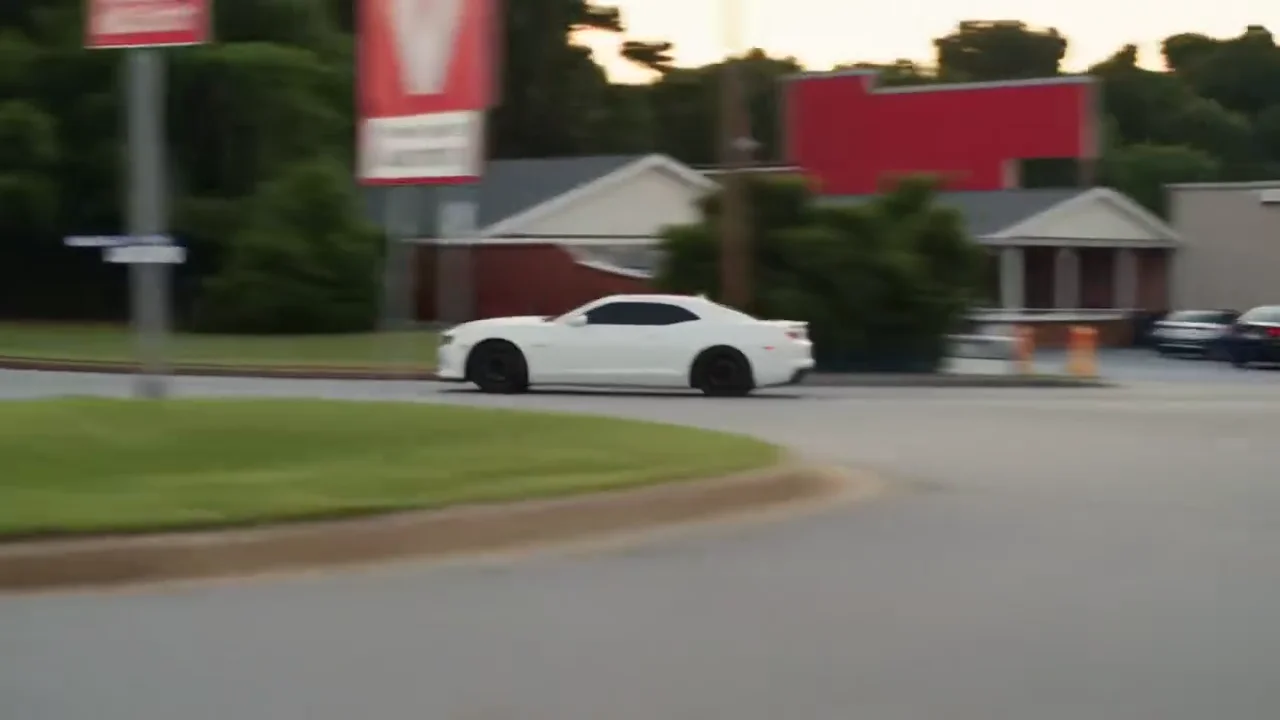
15 seconds, 16:9: a white coupe passes the cyclist, spins through the intersection and petrol station, then drives along the street. Music differs from the template soundtrack.
Updated
Need for speed AI trend on Memevy is a car-photo video maker for owners sharing a movie-style town chase. One photo supplies the vehicle; a fixed clip guides the cyclist pass, tyre smoke, terrace reactions and petrol-station shots, with its soundtrack attached afterward. The 15-second, 16:9 MP4 costs 432–2394 purchased credits, with no added watermark. Quality ranges from 480p to 1080p; vehicle details and exact cuts can vary.
How to make your car video
Memevy makes the town-chase video from one vehicle photo and a fixed reference clip. Your photo supplies the car; the clip supplies the action, camera moves and edit. The default is Seedance 2.5 at 480p, 15 seconds, 16:9, for 432 purchased credits. All quality options and the total are visible before generation. A clear whole-vehicle photo gives the model more detail to follow.
- 1
Upload one whole-vehicle photo
Use a sharp side or front three-quarter view in daylight, with the roof, wheels and pickup bed visible. Remove sensitive plates or location details before uploading. JPG, PNG or WebP, up to 10 MB.
- 2
Keep the town chase or add car details
The cyclist, terrace and petrol station stay in the preset. Custom lets you describe vehicle details to preserve. Choose the Seedance 2.5 resolution; the 15-second length and 16:9 shape stay visible.
- 3
Check the price, generate and download
Sign in, confirm permission to use the photo and generate. Check the car in every shot before downloading the MP4. The supplied soundtrack is attached after the pictures are generated; no editing app is required.
Town-chase video examples
These car videos show the cyclist opening, intersection burnout, terrace reactions and petrol-station pass used by this preset. Each card describes the actual clip. Vehicle details and timing in a newly generated result can vary. The sample soundtracks differ from the fixed soundtrack attached by this generator; the samples illustrate the shots and car-swap idea.
White coupe · cyclist and petrol station
15 seconds, 16:9: a white coupe passes the cyclist, spins through the intersection and petrol station, then drives along the street. Music differs from the template soundtrack.
Red coupe · smoke and terrace reactions
15 seconds, 16:9: a red coupe follows the cyclist, intersection, terrace and petrol-station sequence. Music differs from the template soundtrack.
What is the Need for Speed AI trend?
The Need for Speed AI trend is a car-swap video: an owner’s vehicle appears in a sunny small-town street chase associated with the 2014 film. The version on Memevy follows a 15-second section with a cyclist, tyre smoke, two people at a terrace railing and a petrol station. “What did AI do to my truck” and “NFS AI video” are common names for this car-photo idea.
Swipe the table for more
| Input | Requested result |
|---|---|
| One photo of your car or truck | The moving hero vehicle uses its shape, paint, wheels, grille and visible modifications. |
| The fixed town clip | The camera, cuts, traffic, bystanders and route guide the new video. The supplied clip’s audio is attached afterward. |
| Custom vehicle details | Optional written details about your car; the town, 15-second edit and landscape framing remain. |
Is Memevy’s speed AI template free?
Memevy’s speed AI template is paid. Browsing the samples and choosing settings are free, but generating a video requires purchased credits. There is no free generation allowance on this page. The minimum is 432 credits ($4.32 at Pro pack rates); starting from zero balance, the smallest usable purchase is Starter at $9.90.
Both models use purchased credits. The 432-credit minimum also exceeds the 56-credit Trial pack; choose a larger pack or use an existing purchased balance. Generation does not require a subscription.
Do I need a CapCut speed template?
You can make this car-swap video in Memevy without finding a CapCut speed template or installing an editing app. Upload the car photo here and the model creates a new moving clip using the fixed town reference. This page produces a finished MP4 rather than an editable project. If you want a caption or a different song, add those after downloading in an editor of your choice.
Pricing & credits
A 15-second video on Memevy costs 432–2394 purchased credits. Seedance 2.5 at 480p is the default: 432 credits ($4.32 at Pro pack rates). The smallest usable purchase from zero balance is Starter, $9.90 for 900 credits. Dollar equivalents use the Pro pack rate of $0.01 per credit; smaller packs have a higher per-credit rate.
Swipe the table for more
| Model | Resolution | Credits | At Pro rates |
|---|---|---|---|
| Seedance 2.5 | 480p | 432 | $4.32 |
| Seedance 2.5 | 720p | 972 | $9.72 |
| Seedance 2.5 | 1080p | 2,394 | $23.94 |
Swipe the table for more
| Item | Included |
|---|---|
| Browse and preview | Free; no account needed to view samples. |
| Generate | Purchased credits only; no free video on this page. |
| Minimum purchase | Starter: $9.90 for 900 credits; Trial is too small. |
| Output | 15-second landscape 16:9 MP4; 480p, 720p or 1080p. |
| Sound and watermark | Fixed reference soundtrack attached; no added watermark. |
| Failed generation | Confirmed failed jobs return their credits. Pending jobs wait for a final outcome. |
What this car swap cannot guarantee
A generated car can change shape, lose a modification or drift differently during smoke and fast cuts. A single photo cannot reveal the vehicle’s hidden sides. This preset asks for the reference shots rather than guaranteeing a frame-for-frame copy; it also does not promise readable badges or plates. The photo’s people and background are excluded from the requested replacement. Check the complete video before posting it.
The preset follows a reference with real bystanders; their faces may remain. Remove sensitive details before upload, and use AI labels when sharing.
The film scene behind the name
The town-run format refers to the live-action Need for Speed film scene rather than a game mod or gameplay feature. This is a fan-style AI video maker with no affiliation to Electronic Arts or the filmmakers. The stunts are entertainment; do not recreate them on public roads. For a different car-photo joke on this site, try the car chips prank.
FAQ
Can I download the speed AI template video?
A completed result can be downloaded as an MP4 with its soundtrack. There is no editable CapCut project or template download. The output requested here is 15 seconds in landscape 16:9; no watermark is added by Memevy.
Can I use Memevy on my phone?
Yes. Upload from a phone browser, choose the visible settings and sign in to generate. You do not need an Android or iPhone app. The samples and settings can be viewed before signing in.
Will it keep my pickup bed, paint and wheels?
The prompt asks both models to preserve the photographed vehicle, including its body shape, cab, bed, paint, wheels and modifications. Fast cuts and smoke can still change details. One photo cannot show every angle; inspect the full result before sharing.
Does buying a video include rights to the soundtrack?
Buying generation credits does not grant rights to a film, music, a trademark or another person’s likeness. Use a photo you are allowed to upload and check the soundtrack rights for your intended use, particularly for advertising or other commercial posts.
Got a joke? Make it move.
Open the generator